Case study 01 · Worth Looking Up
A sky guide that
shows its work.
Satellite passes, rocket launches, planets, meteor showers, comets, and eclipses—calculated in the browser, timed to where you are, with no account and no guesses about things the data cannot support.
- Type
- Local-first observing guide
- Live at
- worthlookingup.com
- Scope
- Product design, front end, data, deployment
- Stack
- Vanilla JavaScript, browser workers, bounded local caches
- Status
- Live and maintained
01 / The question
When is the next thing worth stepping outside for?
Most sky information is either a generic almanac written for a latitude band or a wall of numbers that assumes you already know what you are looking at. Neither answers the practical question: is anything good happening near me tonight, and when should I go out?
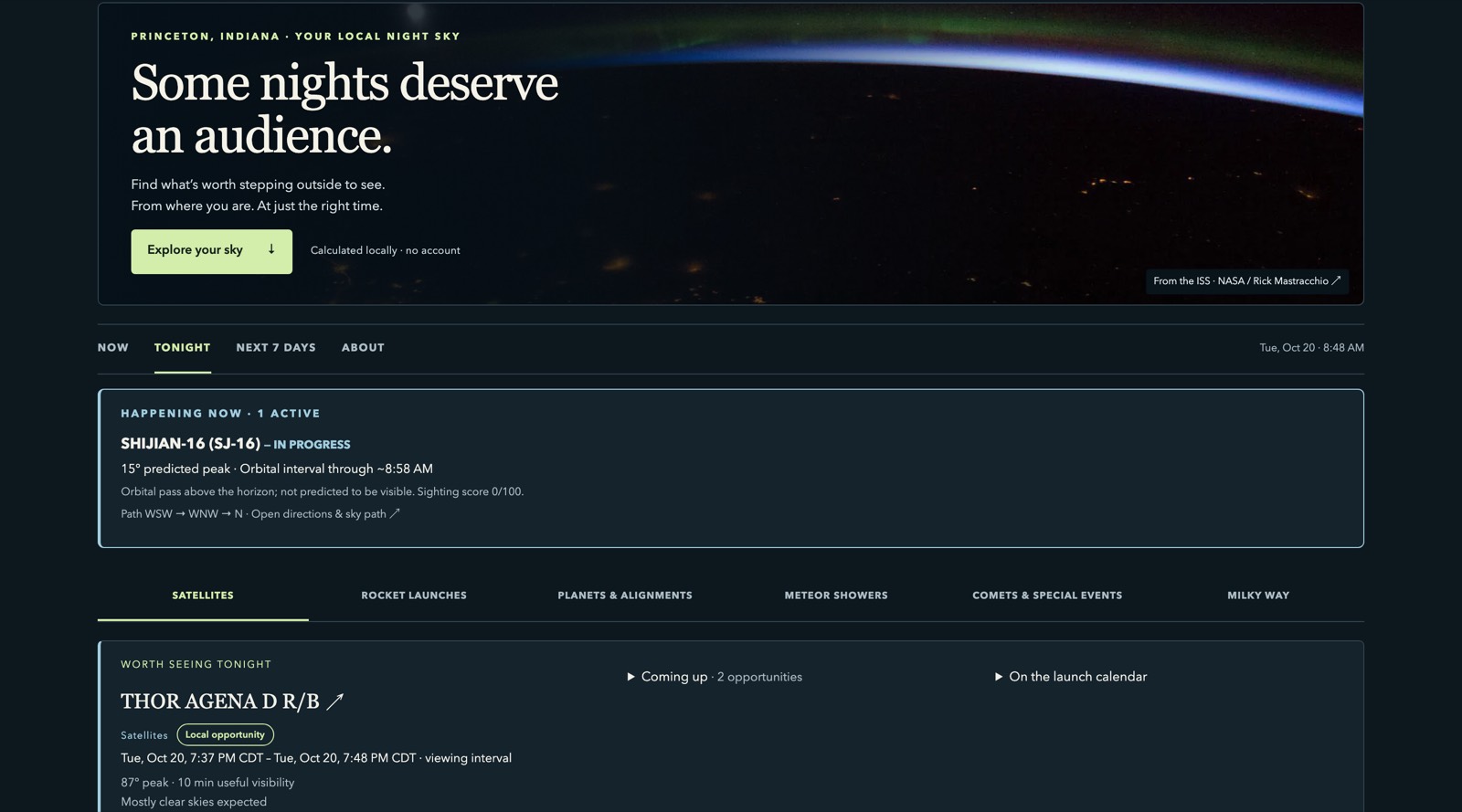
Worth Looking Up is built around that one question. It asks for a location once, then answers with local times, directions, and viewing windows for what is actually visible from there.
02 / What it covers
Six categories, one briefing.
Each category has its own planner because each one has a different kind of evidence behind it. They share a briefing that puts the near-term opportunities first.
- 01Satellites and Starlink trains
- 02Rocket launch schedules
- 03Planets and alignments
- 04Meteor showers
- 05Comets and special events
- 06The Milky Way
The home page opens with a “Happening now” and “Worth seeing tonight” briefing in time order, follows it with a balanced “Coming up” list, and keeps the launch calendar separate. The full weekly satellite highlight stays below the results rather than competing with tonight.
03 / The constraint
The calculations run on the visitor’s device.
There is no application server behind Worth Looking Up. The orbital and celestial math runs in the browser using vendored calculation libraries, with browser workers keeping the interface responsive while a plan is built and bounded local caches avoiding repeat work.
Orbital and celestial calculations stay on the device, and saved locations stay in the browser. Weather and timezone requests send coordinates to Open-Meteo; place searches use its geocoding service. No account is required, and the application can be served as static files.
04 / The honesty problem
A published schedule is not a prediction.
Rocket launches were the hardest part to get right. A launch date is a published plan that can slip, not a calculated event. The calendar lists what is scheduled, states how precise each schedule is, and labels local visibility as unknown—confirming a visible rocket or an illuminated plume needs the ascent trajectory, which the schedule does not contain.
Launch schedules never enter the satellite or celestial scores. Calendar export follows the same rule: a precisely timed entry becomes a UTC instant with a stable identifier, a published date becomes a tentative all-day placeholder, and a broad announced period is refused rather than turned into a date that looks authoritative.
The rule we kept: if the evidence supports a time window, show the window. If it only supports a range, say so.
Every exported calendar file is built in the browser. No account, OAuth, server, or calendar API is involved.
05 / On a phone
Built as one column, not a shrunken desktop.
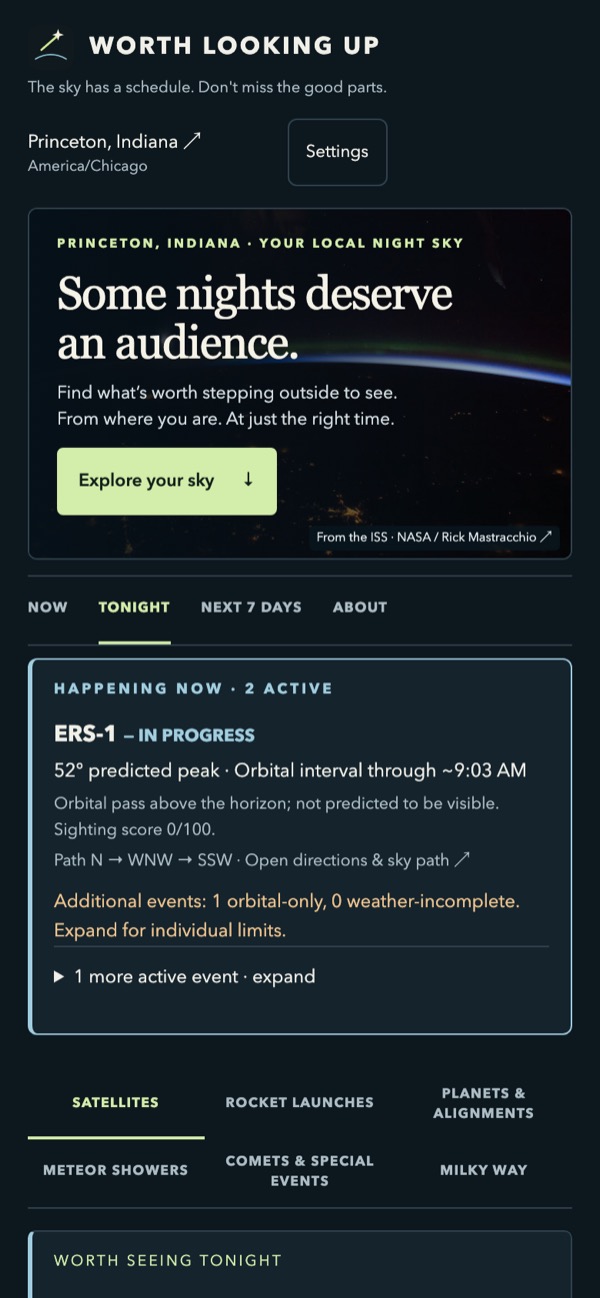
All six categories remain directly reachable on a phone instead of disappearing into a desktop-only menu. The briefing stacks above the category grid, and the timing details stay attached to the event they describe.
The layout was designed for the narrow screen first, then allowed to spread out. That is usually the harder direction, and it is the one that keeps a tool usable in the driveway at 9:40 at night.
06 / The result
Live, public, and kept current.
Worth Looking Up runs at worthlookingup.com on static hosting. It has a release history, documented data sources and provenance, and a written boundary between what is calculated and what is only published.
The same capabilities apply to service-area tools, local scheduling, and customer dashboards: combine external data, calculate what matters for a location, and present the answer clearly on a phone. Calculated events and published schedules remain clearly distinguished.
For your business
Need a tool that makes complex data useful?
Tell us what your customers or staff need to know. You don’t need a technical specification to start.